
 Browser extension · Available
Tooliz Extension
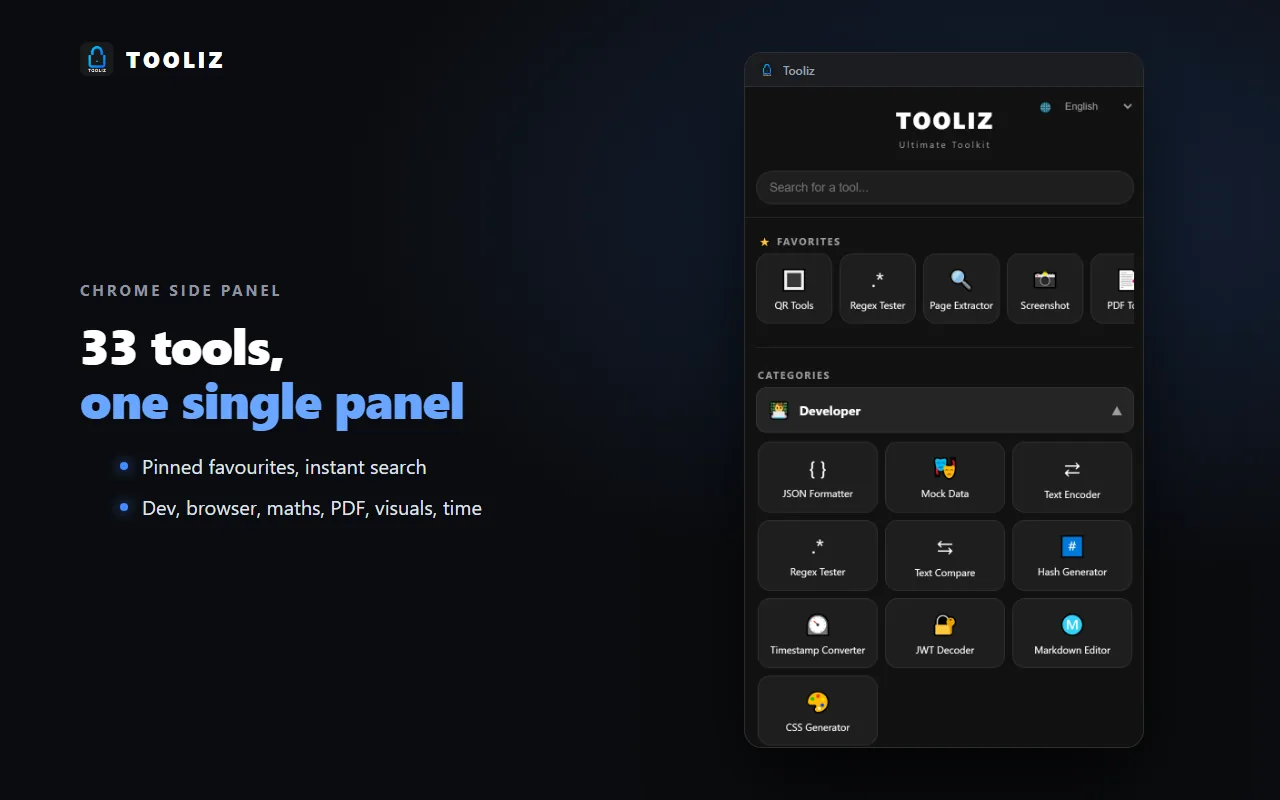
The Tooliz toolbox, right in your browser's side panel (Chrome, Edge, Firefox and Opera): 33 everyday tools without leaving your tab.
Light and fast, the extension runs on your computer. No account, no ads, no tracking.
Available in 8 languages · Manifest V3 · Version 0.3.0
A closer look
The 33 tools included
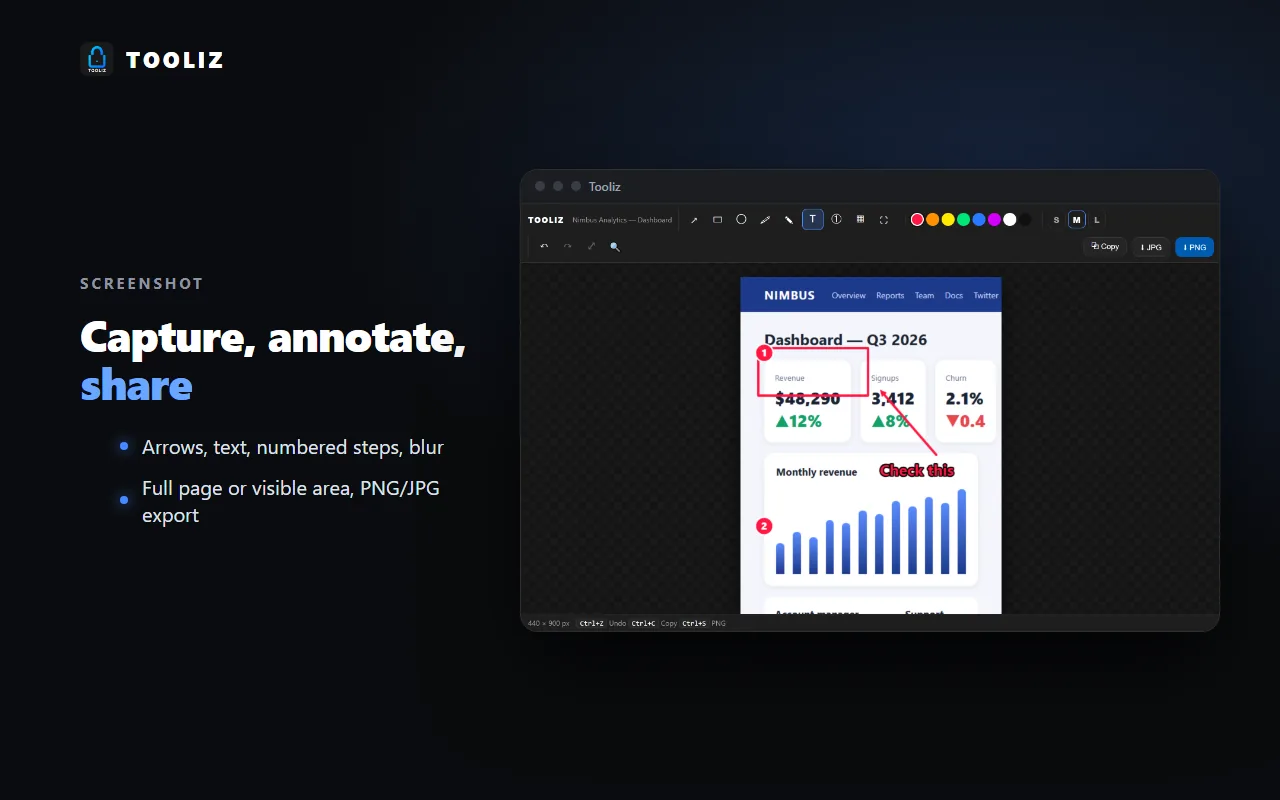
Screenshot
Visible area, delayed or full page, then annotate: arrows, text, blur, crop.
Tab sessions
Save and restore groups of tabs. OneTab compatible.
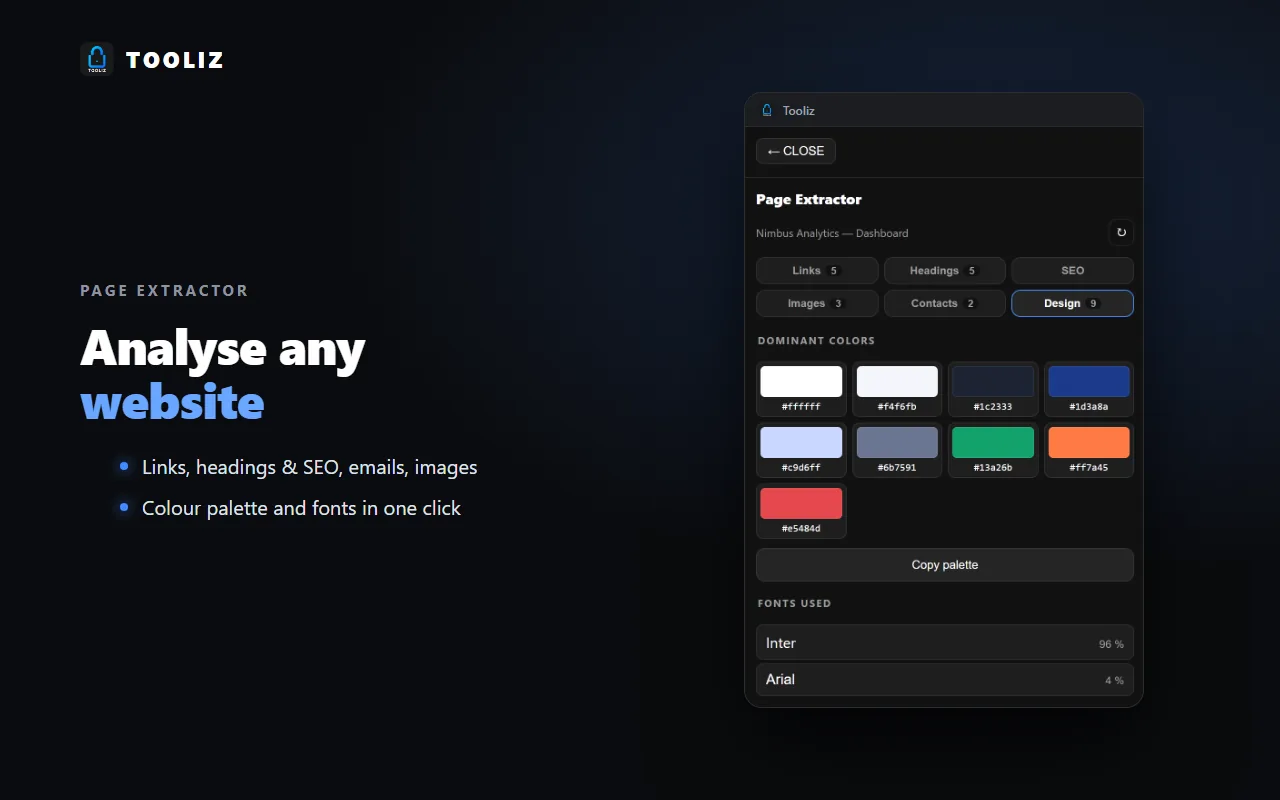
Page extractor
A page's links, headings & SEO, Open Graph, emails, images, colours and fonts.
JSON formatter
Format, validate, minify and sort JSON keys.
Regex tester
Match highlighting, groups and replace.
Text compare
Line-by-line or word-by-word differences.
Hash generator
MD5, SHA-256, SHA-512, CRC32 and HMAC.
Timestamp converter
Unix timestamps to readable dates, and back.
JWT decoder
Header, payload and signature verification.
Text encoder
Base64 and URL encoding and decoding.
Markdown editor
Write Markdown with a live preview.
CSS generator
Gradients, shadows, border radius and glassmorphism, ready to copy.
Mock data
Generate test data: names, emails, UUIDs, IP addresses…
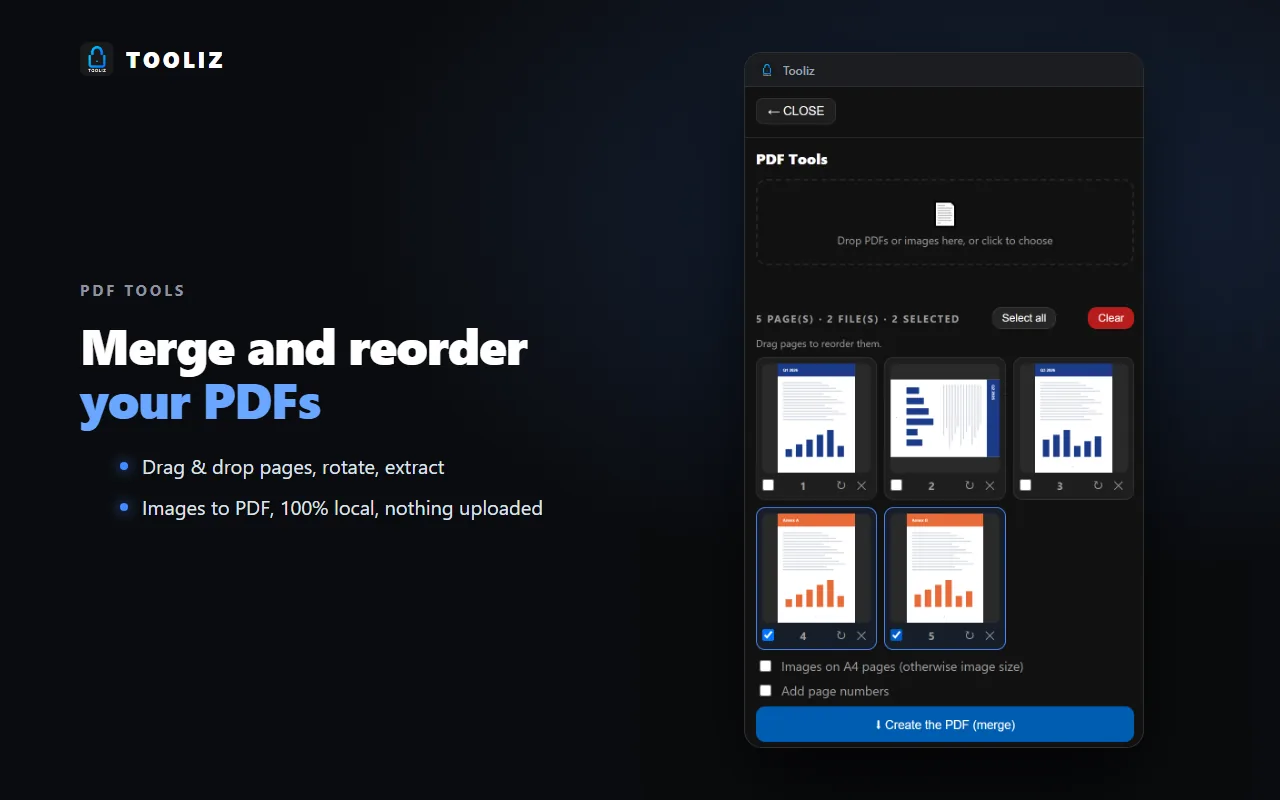
PDF tools
Merge, reorder, rotate, extract and split PDFs, or turn images into a PDF.
Snippets
Canned texts ready to paste, with date, URL… variables.
Notes
Quick notes next to the page you're reading, saved automatically.
Text analyzer
Word and character counts, case conversion.
Calculator
Standard and scientific modes with full history.
Percentage calculator
Discounts, VAT, margins and changes.
Unit converter
Length, weight, speed and currencies with live rates.
Date calculator
Days between two dates, or project a deadline.
Bill splitter
Total per person, tip included.
Finance calculators
Loan payments and compound interest.
Colour picker
Pick any colour on screen (HEX, RGB, HSL) and check WCAG contrast.
QR codes
QR codes for the current tab, a Wi-Fi network or a contact, and reading from an image.
Image compressor
Resize and compress an image, keeping the aspect ratio.
Passwords & vault
Strong passwords stored in an encrypted vault.
Stopwatch & timer
Stopwatch with laps, and a timer that rings even with the panel closed.
Focus timer
Pomodoro cycles with short and long breaks.
Time zones
Compare local time with the zones you add.
Coherent breathing
A guided breathing session.
Random decider
Wheel of fortune, dice and coin flip.
Tally counter
Count anything with a click.
Premium licence
Optional: a one-time payment on Gumroad for lifetime access. It unlocks full-page capture, blur and numbered steps, PDFs with no page limit, the full page extractor with CSV export, unlimited sessions and snippets, custom QR codes and finance charts. Every other tool stays free.
€14.99, paid once
Want to try it first? Premium is free for 5 days — all you need is an email address.
Privacy & security
Runs locally
Your notes, history and vault stay in your browser.
No tracking
No analytics, no ads, no trackers.
Encrypted vault
AES-GCM + PBKDF2 (150,000 iterations). Your passphrase is never stored.
Ready to try Tooliz?
Free, no account, in 8 languages. One click to install from your browser's add-on store.